
Ecopass: App-free UPI EV Charging for CPOs & EV Users
Ecopass help users discover UPI-enabled EV charging stations, pay through familiar UPI apps and start charging right away. No juggling multiple apps, prepaid wallets or endless registrations.
Add an app-free UPI EV charging flow to existing stations. Make your charger easier to find, easier to understand and easier to pay at.
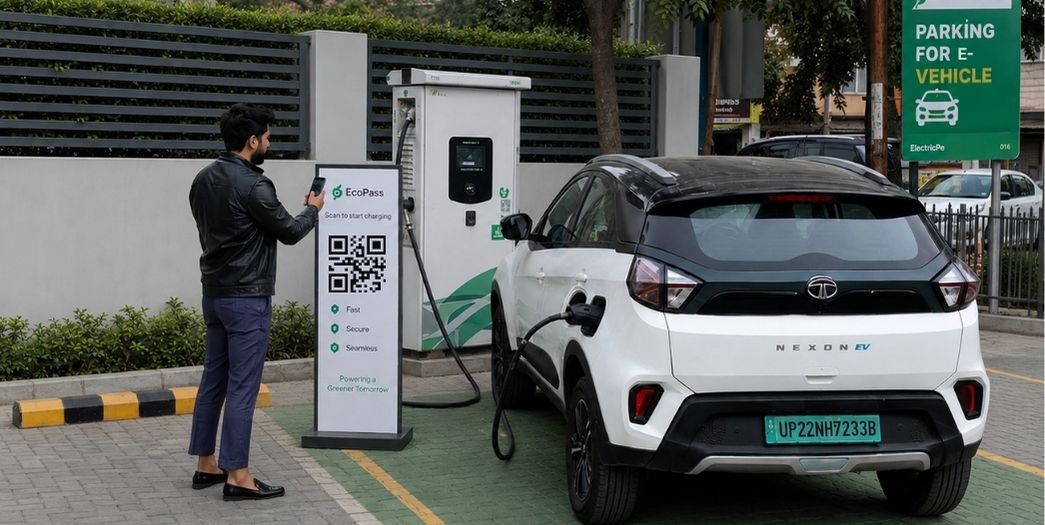
What is UPI EV charging?
UPI EV charging lets EV drivers charge their EVs without using any Operator app, simply by scanning a station's QR code with their favorite UPI app. Behind the scenes, it works through a direct link between a Payment Gateway (PG) and the charger’s Charge Point Management System (CMS). When a driver completes a payment by scaning the UPI QR, the PG instantly confirms the transaction and sends a success signal to the CMS. The CMS then automatically commands the charging hardware to unlock and deliver the exact amount of power paid for, making the entire process fast, automatic, and hassle-free.

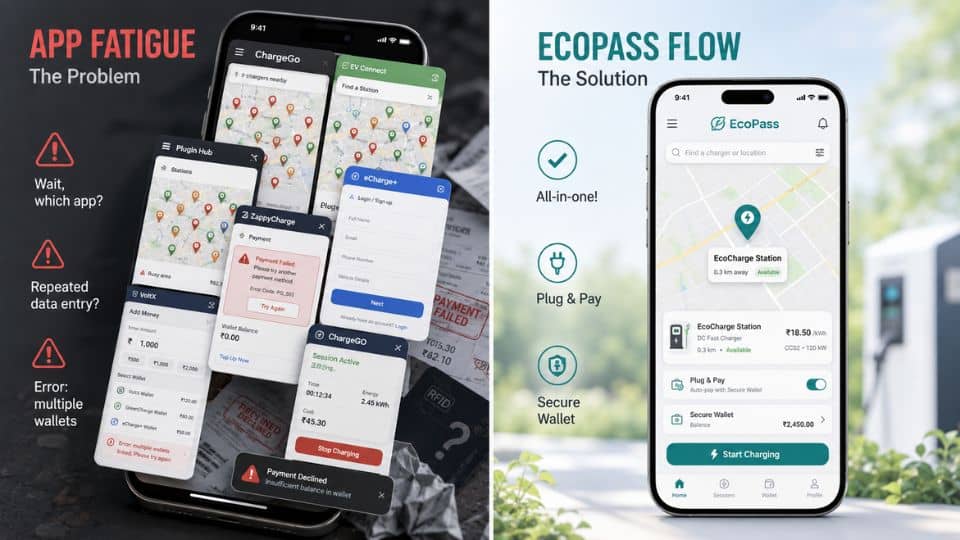
EV drivers do not want one more charging app
Many public chargers still ask first time users to download a their CPO app, create an account, add money to a wallet, scan again, select a charger and then start charging. Every extra step creates drop-off. EcoPass UPI is designed around a simpler journey: discover the charger, pay with UPI and start charging right away.
Stations without UPI charging
Stations integrated with Ecopass UPI
EV charging shouldn't feel this complicated
India's EV charging network is expanding fast, but the experience is still not user-friendly, a different app for every network, a separate wallet to preload, and no clear info until you're standing at the charger.
Ecopass folds all of that into one flow: discover, pay, charge, so drivers can find the right plug and pay with confidence, and operators don't lose sessions to friction.
For EV Users
Multiple station locator apps, CPO apps, money stuck in prepaid wallets, and complex on-screen journey till payment.
For CPOs
Reliance on self app & Google maps for visibility, repetitive guidance for user registrations, user frustations leading to reduced revenue opportunity.
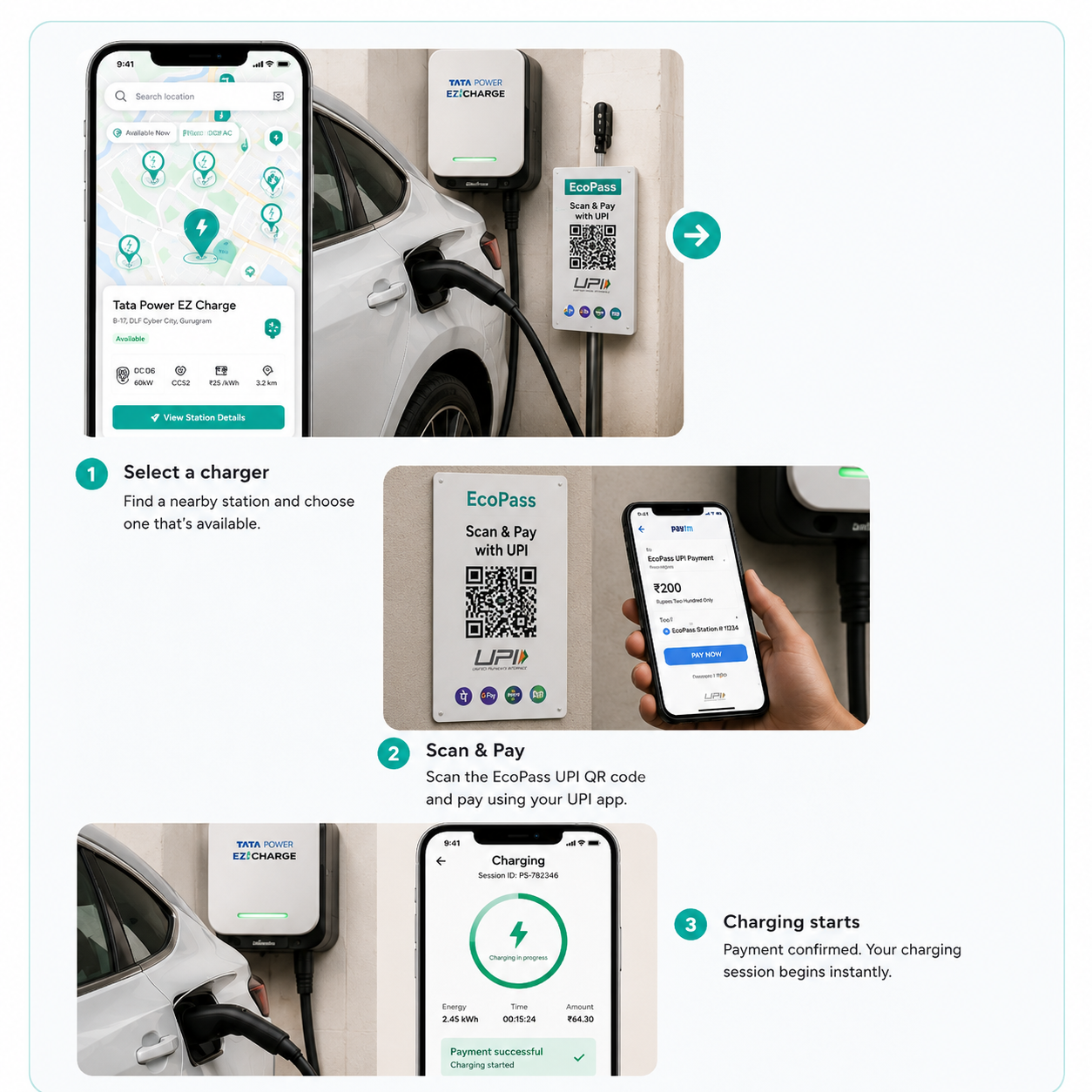
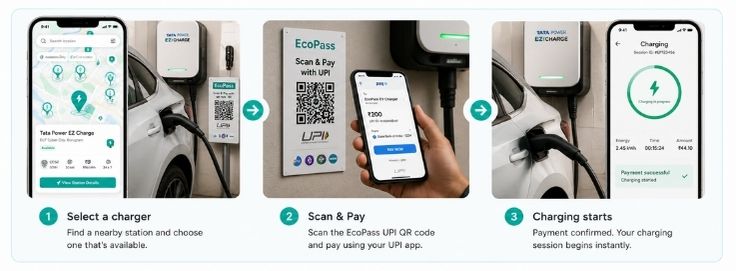
EV charging, simplified to three steps
No new logins, no separate wallets — just find a station, pay, and charge.
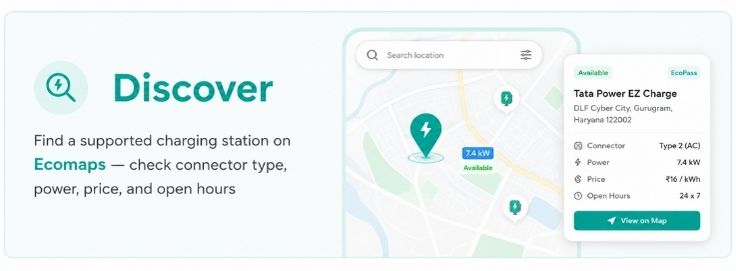
Discover
Find a supported charging station on Ecomaps, check connector type, power, price, and open hours before you go.
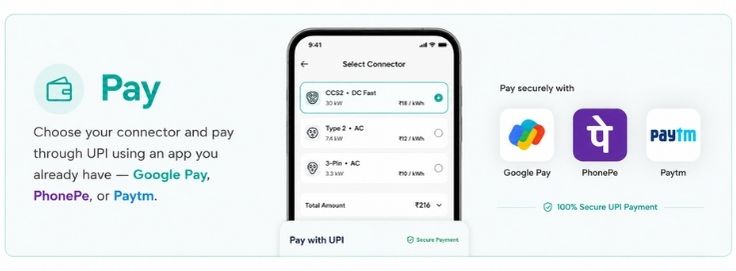
Pay
Choose your connector and pay through UPI using an app you already have — Google Pay, PhonePe, or Paytm.
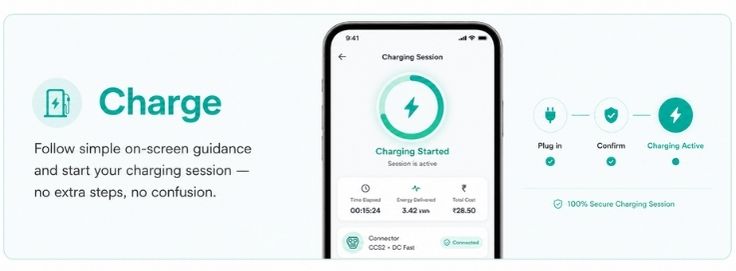
Charge
Follow simple on-screen guidance and start your charging session — no extra steps, no confusion.
Public charging, before and after EcoPass
Without EcoPass
With EcoPass
OCPP Integrated UPI QR, Static QR, and dynamic QR
Not every UPI QR setup can automatically start an EV charger. The right model depends on whether your charger, payment system and backend can communicate with each other.
Why EcoPass Matters for CPOs
For Charge Point Operators, installing a charger is only the first step. The real challenge is helping users find the station, understand the connector, pay successfully and complete a session. Ecopass adds an app-free UPI EV charging layer to reduce payment friction and improve station usage.
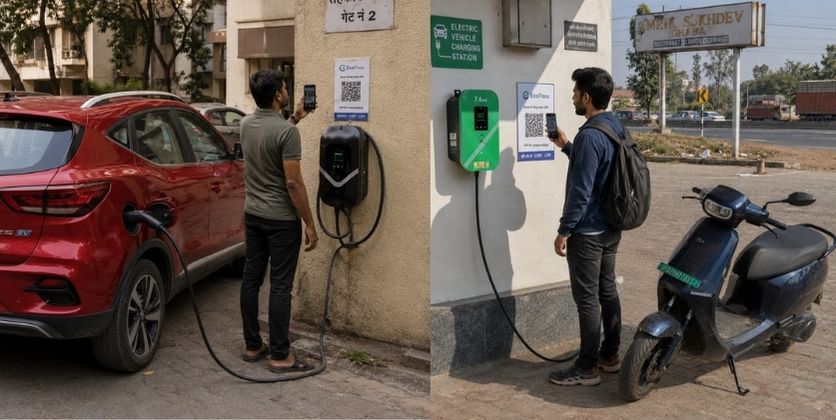
Why EcoPass Matters for CPOs
The Drop-off
Every extra step: app downloads, wallet top-ups, unknown connectors, creates drop-off and lost utilisation.
Better Visibility
Ecopass gives your station a clearer and more user-friendly front-end on Ecomaps.
Action Layer
Helps users move from “I found a charger” to “I can actually use this charger.” using ecomaps.
Conversion
A normal map listing gives visibility. Ecopass adds conversion support.
More visibility beyond Google Maps
Ecomaps promotes stations through dedicated city-wise and state-wise EV charger pages, not just a boring map pin on Gmaps.
Fewer users drop off at payment
A difficult payment flow loses users. Ecopass UPI removes the need for a new app or a preloaded wallet.
Lighter support load
Built-in AI & real agents guidance answers the usual questions: which connector, how to pay, who to call, before they're asked.
Charge with UPI, not another wallet.
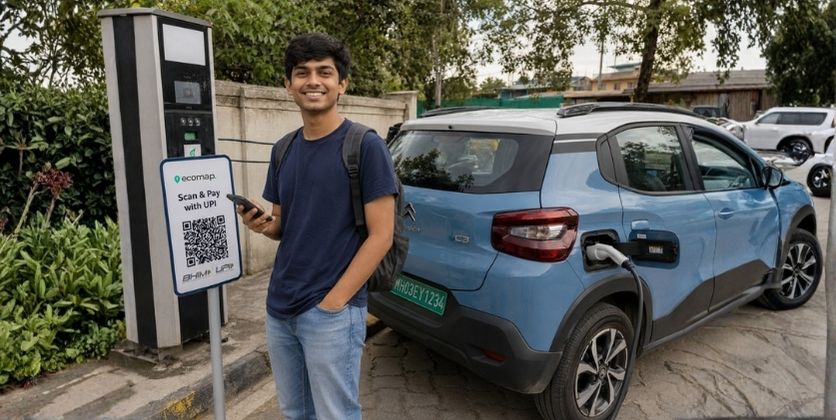
EcoPass helps EV users find supported stations and pay through UPI apps they already use. No separate CPO app, no wallet preload and no confusion about connector, price or open hours.
Open Ecomaps
Find a station nearby or on your route, with full details.
Tap to pay
Pick your connector, enter the amount, pay via UPI.
Just charge
Follow the on-screen guidance and start your session.
Already have a charger? Upgrade, don't replace.
Add Ecopass UPI payment capability to your existing hardware, no replacement required.
Share charger details
Tell us your charger brand, model, connector type, power output, and location.
Free compatibility check
Our team reviews your OCPP compliance and prepares an upgrade plan.
Hardware & firmware check
We verify remotely whether a firmware update is needed, or if you're already plug-and-play ready.
UPI integration & QR deployment
Ecopass connects to your CSMS and we provide QR stickers mapped to each connector.
Go live & monitor
Your charger is UPI-enabled on Ecomaps, track live sessions and revenue on your CMS dashboard.
Ecopass works with any OCPP 1.6J or 2.0.1 compliant charger — if your charger supports OCPP, the upgrade is straightforward.
Ways to set up UPI EV charging
UPI EV charging plugs India's Unified Payments Interface into the command layer of a charging session. A successful UPI payment becomes the trigger that authorises the charging session and starts the selected connector through the CPO's charging management system (CMS). Here's how to set up UPI EV charging for your stations:
Hardware alignment
The station runs a verified OCPP protocol (1.6J or 2.0.1) to talk to external networks.
QR & EVSE mapping
Unique QR codes are mapped to specific connector IDs, so payment targets the exact plug.
Payment gateway integration
The CSMS connects to a merchant gateway that supports automated webhooks.
Session triggering
A successful UPI payment fires a webhook; the CSMS verifies it and sends an OCPP RemoteStart command.
Dynamic session termination
Live meter values are tracked; once the cap is hit, a RemoteStop command ends the session safely.
Unified Bharat e-Charge (UBC) and EcoPass
India's EV charging ecosystem is moving toward a future where users can discover, access, and pay across charging networks more easily. Unified Bharat e-Charge (UBC) is being discussed as a national interoperability initiative to reduce this fragmentation.
The direction is clear: charging needs to be more open, discoverable, and payment-friendly. Ecopass is built for that direction.
Ecopass doesn't claim to be the official UBC platform, it's a practical step toward the same goal: easier discovery, simpler payment, and a more interoperable experience.
Find EV charging stations across Indian cities and states
Ecopass works with the Ecomaps discovery layer, including city-wise and state-wise EV charging pages for users searching before they travel.
What a CPO needs to enable UPI EV charging
Ecopass can be added to existing stations, but the best setup depends on charger type, backend access and payment verification.
Frequently asked questions about UPI EV charging
CPO, EV user, payment, OCPP, upgrade and Unified Bharat e-Charge questions together.
01What is UPI EV charging?+
02Can UPI payment automatically start an EV charger?+
03Is static UPI QR enough for EV charging?+
04Do users need to download another app?+
05Do users need to preload a wallet?+
06Can existing chargers be upgraded?+
07What does a CPO need to enable UPI EV charging?+
08What happens if payment succeeds but charging does not start?+
09Does EcoPass replace Google Maps?+
10Why should CPOs enable UPI charging?+
11What is Unified Bharat e-Charge?+
12Is EcoPass officially linked to a government platform?+
Bring app-free UPI EV charging to more Indian stations
EcoPass by Ecomaps helps India move toward a simpler, UPI-friendly and future-ready EV charging experience.